

Creating Professional Invoices Without Subscriptions or Watermarks
Billing clients shouldn't require costly accounting subscriptions, steep learning curves, or wrestling with fragile spreadsheet formulas.
According to the 2026 Intuit QuickBooks Late Payments Survey, 59% of small businesses carry overdue invoices, with administrative errors and unformatted bills causing significant accounts payable (AP) delays. Furthermore, Levvel Research shows that issuing standardized, automated digital invoices cuts AP processing costs from $22.75 down to under $4 per invoice.
Whether you are an independent contractor billing your first project or an agency founder managing monthly accounts, sending a crisp, publication-grade vector PDF invoice ensures rapid approval and eliminates client payment friction.
In this practical tutorial, we walk through the exact step-by-step process of creating, customizing, and exporting a clean vector PDF invoice using InvoiceAce Free Generator.
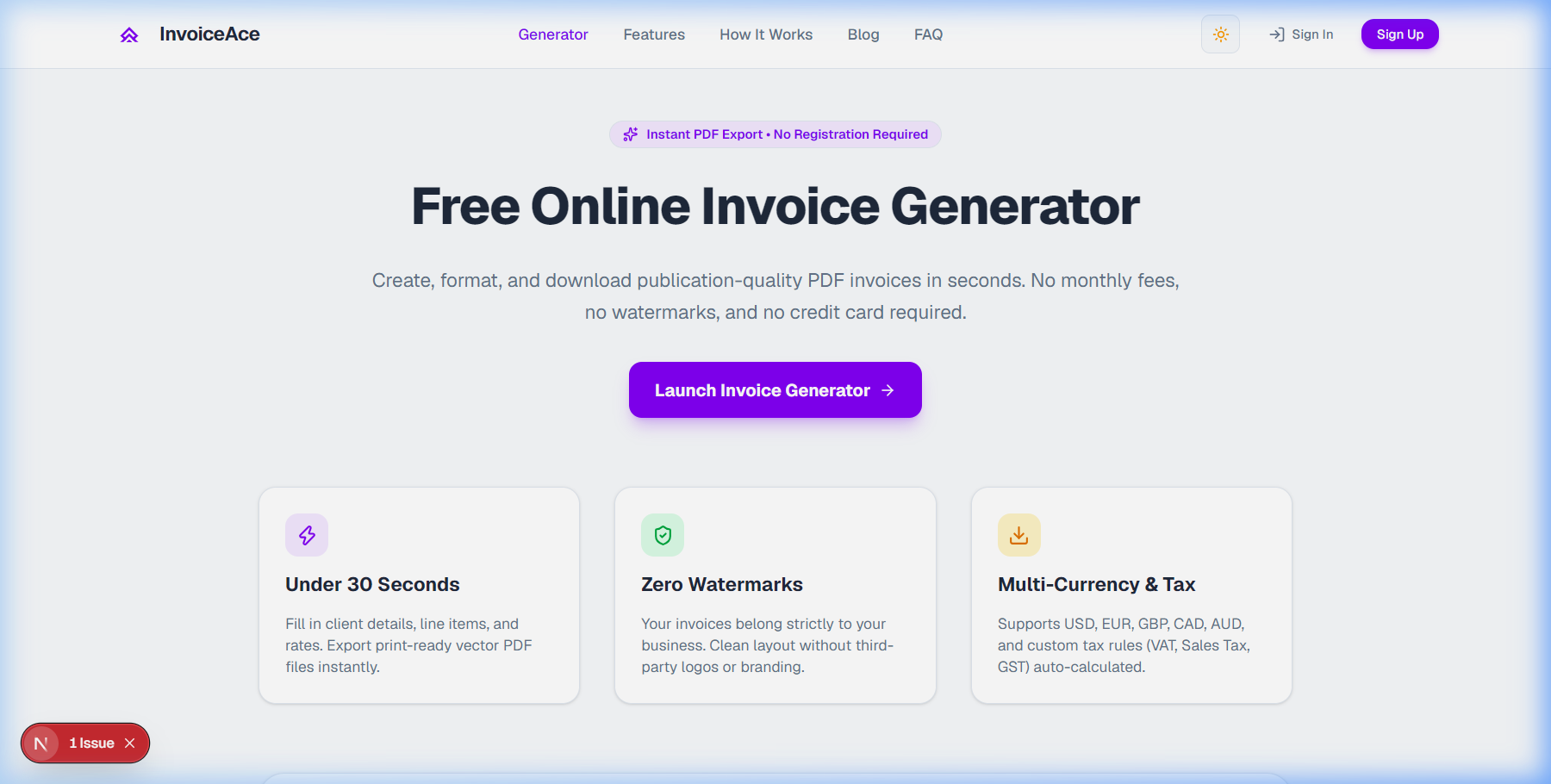
Step 1: Launch the Free Invoice Generator
To get started, open the InvoiceAce Free Generator in your browser—no mandatory account setup or credit card required.
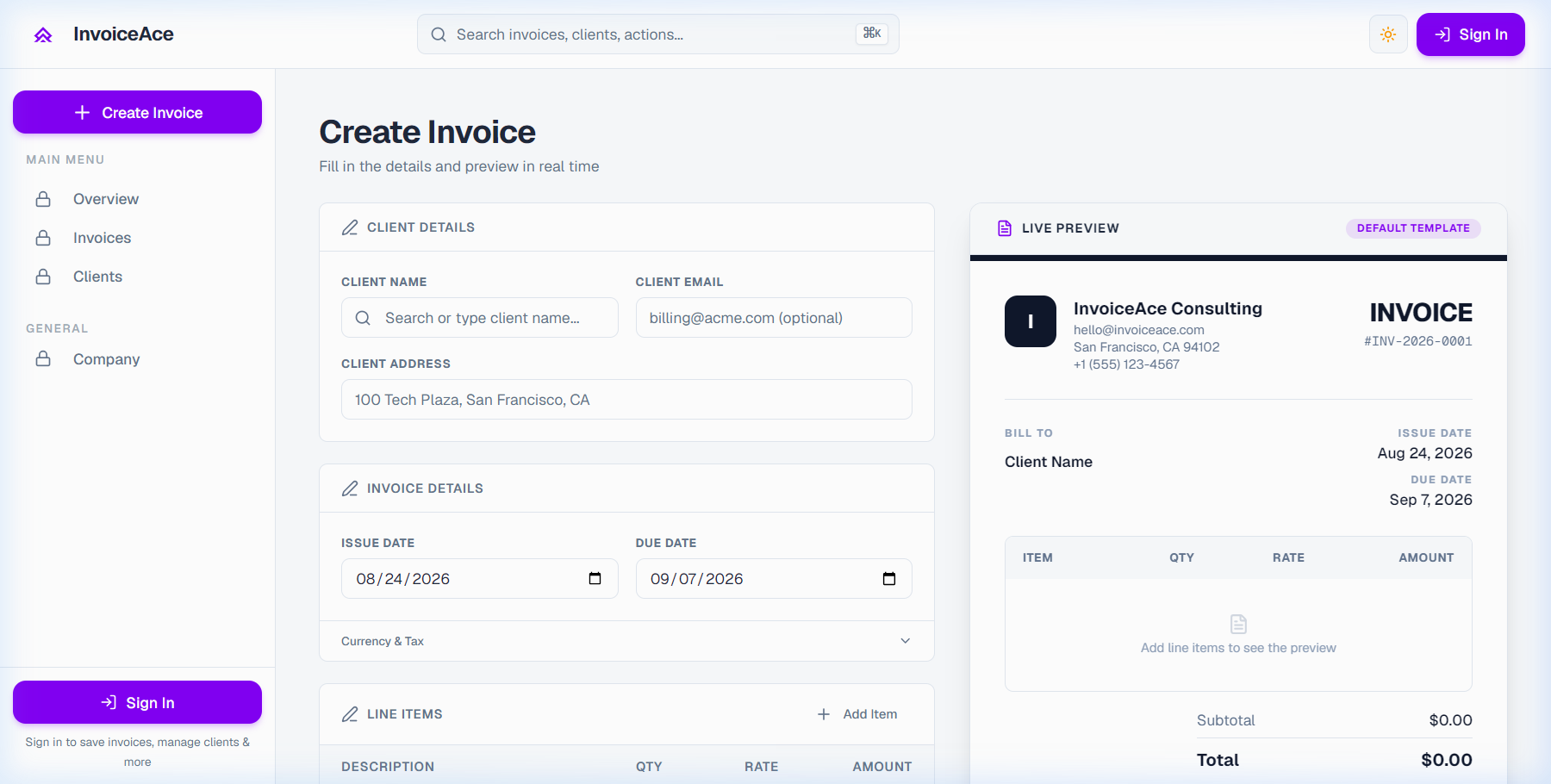
The editor presents an intuitive, real-time workspace:
- Left Panel (Inputs): Your billing control center to enter business info, client details, line items, taxes, and payment instructions.
- Right Panel (Live Preview): A pixel-perfect, vector-rendered preview that updates instantly as you type.
Step 2: Enter Your Business & Client Information
Every legally compliant invoice requires clear identification of both parties to satisfy corporate AP compliance and tax audits (IRS Pub 583, EU Directive 2006/112/EC).
Entering Billing Details:
- Sender Identity: Enter your business legal name, physical address, email, and tax identification number (EIN, SSN, or VAT ID).
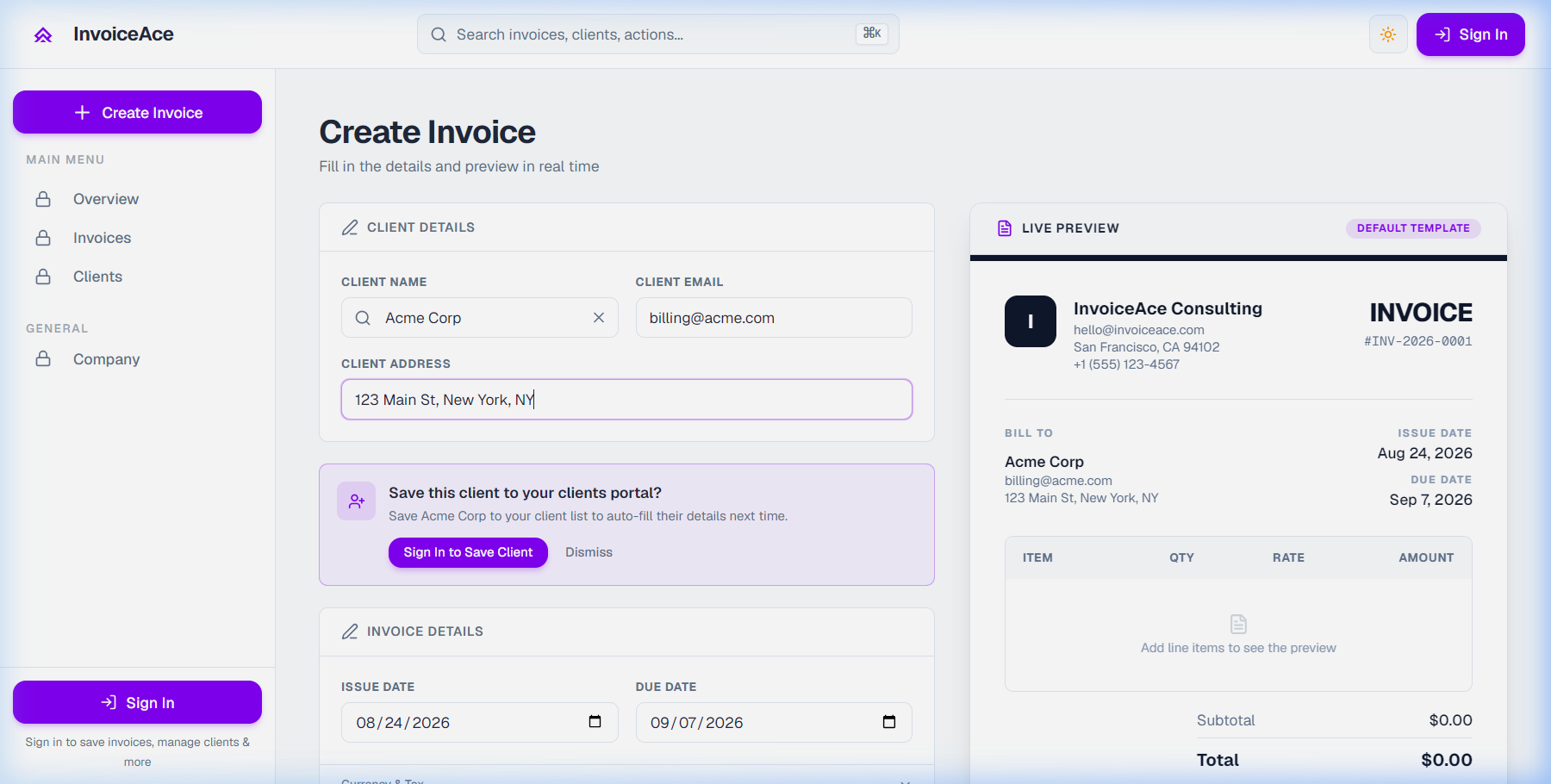
- Client Name: The recipient legal company or individual name (e.g.,
Acme Corp). - Client Accounts Payable Email: Direct billing email for invoices (e.g.,
billing@acme.com). - Billing Address: Registered corporate address for official tax substantiation.
[!TIP]
Client PO Numbers: When billing enterprise clients, always include their internal Purchase Order (PO) Number. Invoices missing a PO number are automatically flagged as exceptions in enterprise ERP systems (SAP, Oracle, NetSuite).
Step 3: Add Itemized Line Items & Hourly Rates
Clear, descriptive line items prevent client skepticism and eliminate billing disputes. Research from PYMNTS and American Express indicates that ~40% of B2B payment delays are dispute-driven caused by vague line items.
To Add Deliverables:
- Click into the Description field and specify the deliverable scope (e.g., UI/UX Component System Design & Token Setup).
- Enter the Quantity / Hours (e.g.,
5hours). - Set your Unit Rate (e.g.,
$150.00/hr). - Click "+ Add Item" to append additional milestone deliverables or expense items.
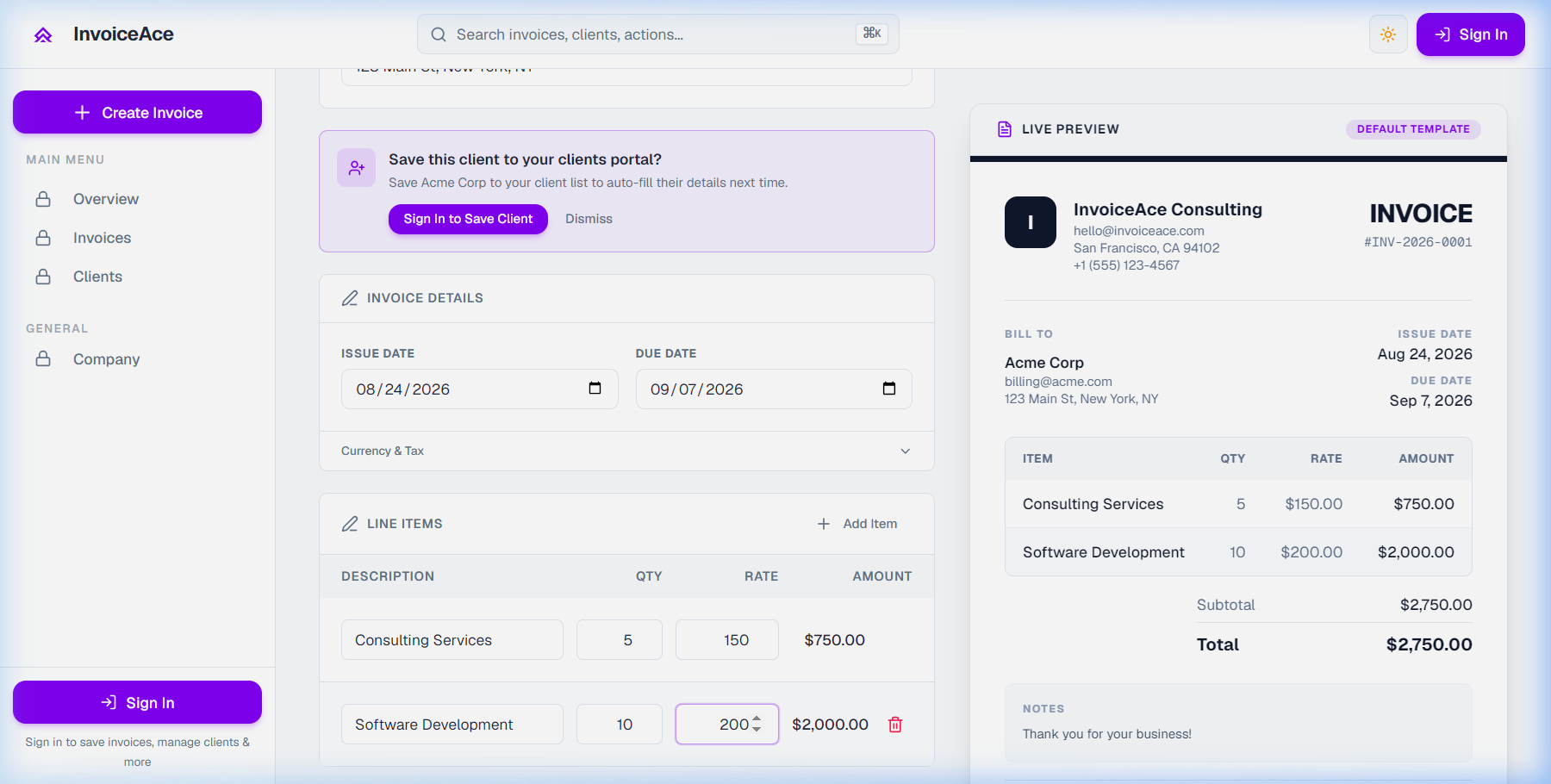
InvoiceAce automatically calculates line subtotals in real time (5 hrs @ $150 = $750.00, plus 10 hrs @ $200 = $2,000.00 for a $2,750.00 subtotal).
Step 4: Configure Currency, Taxes, and Discounts
- Click the "Currency & Tax" settings.
- Select your transaction currency (USD
$, EUR€, GBP£, CAD$, AUD$, JPY¥, INR₹, etc.). - Enter your regional Tax Rate (e.g., state sales tax, 20% UK VAT, or Canadian GST/HST).
- (Optional) Apply an agreed upfront deposit deduction or milestone discount.
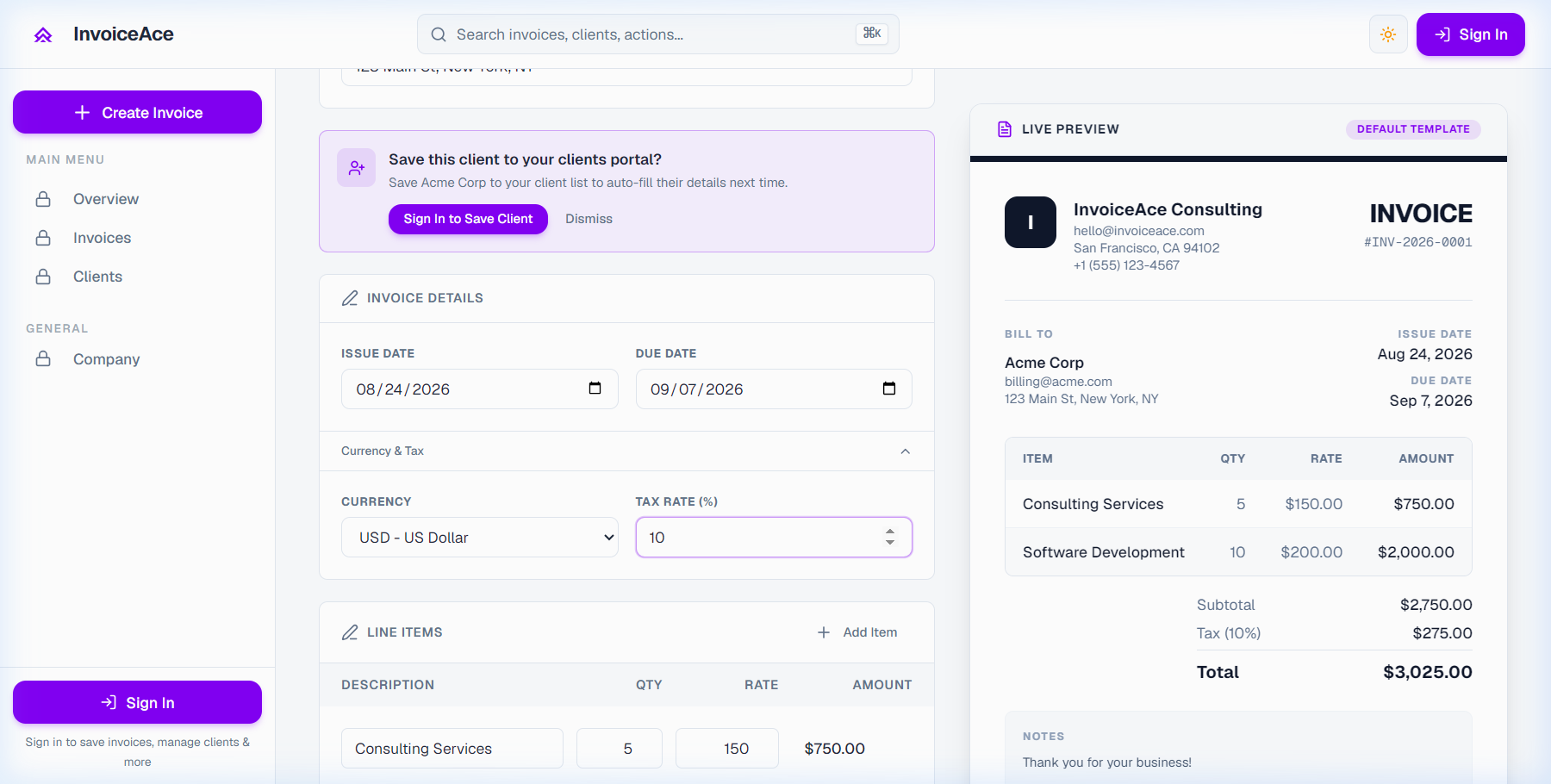
The tax engine instantly calculates the tax portion (10% on $2,750 = $275.00), bringing the grand balance due to $3,025.00 with zero rounding errors.
Step 5: Set Payment Terms & Custom Notes
Clear payment terms eliminate ambiguity and protect your cash flow. Studies from Xero and FreshBooks confirm that invoices with explicit calendar deadlines get paid significantly faster than those with vague "Due upon receipt" phrases.
Adding Payment Coordinates & Instant Links:
- Specify your payment schedule (e.g., Payment Due: September 15, 2026 / Net 14).
- Include wire transfer routing, ACH banking details, or your direct Stripe / PayPal Payment Link. Research shows that embedded digital payment links accelerate settlement by 1 to 7+ days, with up to 68% paid within 24 hours.
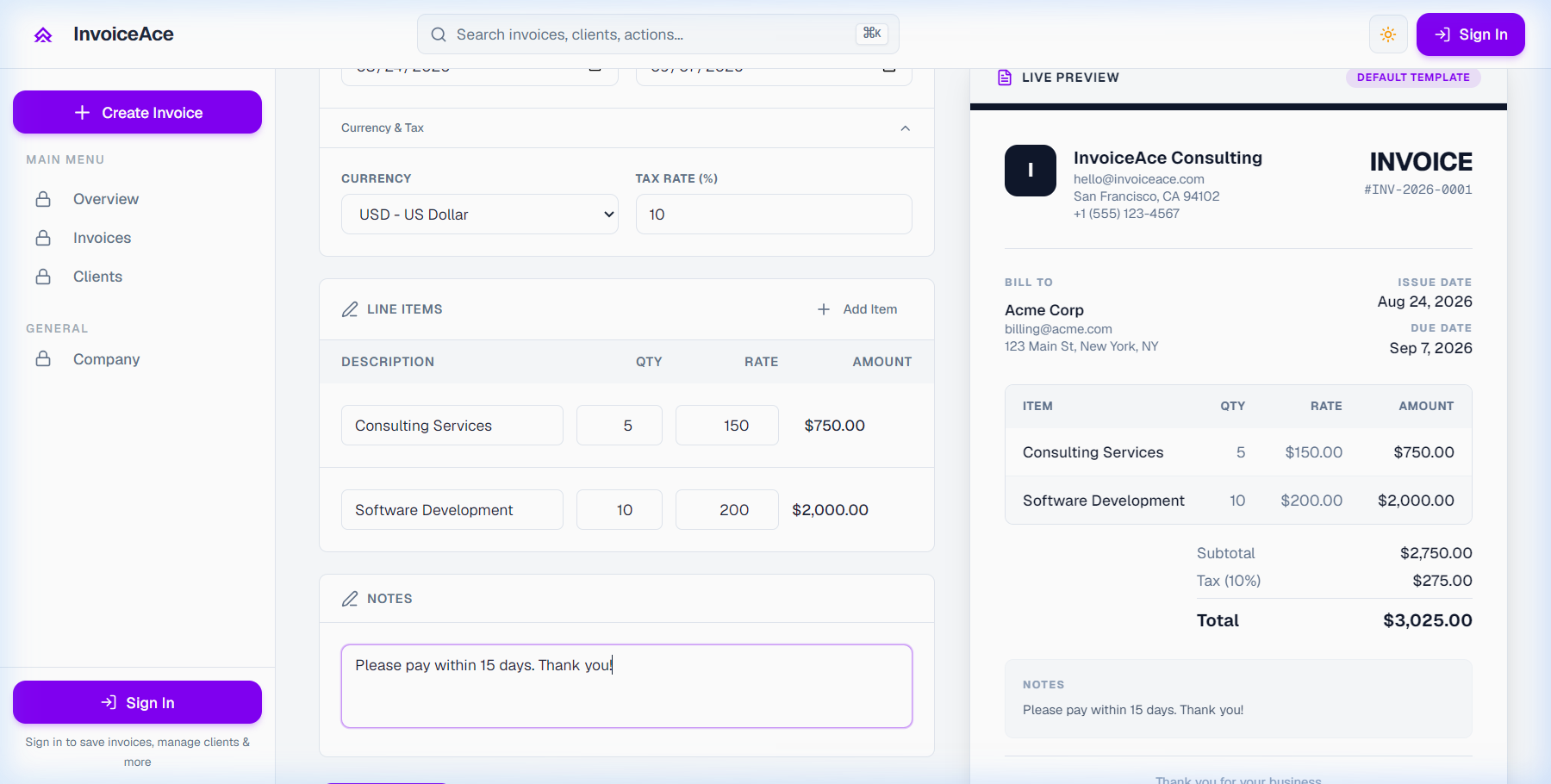
Step 6: Finalize and Export Print-Ready Vector PDF
Once your details are verified on the live preview pane, click "Download PDF" to export:
Your downloaded invoice provides:
- ISO 32000-1 Vector PDF Standard: Razor-sharp typography and high-res vector logos that look crisp on every mobile device and physical printout.
- Zero Watermarks: 100% white-label document with no third-party vendor logos or promo banners.
- Immutable Security: Tamper-resistant file format protecting against Business Email Compromise (BEC) fraud.
👉 Create Your Free PDF Invoice in 60 Seconds with InvoiceAce
5 Practical Best Practices for Faster Payments
- Deliver Invoices on Tuesdays or Thursdays: Corporate accounts payable departments run automated payment disbursements midweek.
- Always Reference Client PO Numbers: Guarantees automated 3-way matching in enterprise accounting software.
- Offer Early Payment Incentives (2/10 Net 30): Grant a 2% discount if paid within 10 days to pull cash flow forward.
- Use Structured Email Subject Lines: Standardize your email header as
Invoice [INV-2026-001] - Project Name - [Your Legal Name]. - Send Automated Pre-Due Date Reminders: A polite check-in 3 days prior keeps your invoice at the top of the queue.
Related Guides & Resources
- Top 7 Free Invoice Generators with No Watermark
- 5 Costly Invoice Design Mistakes That Delay Payments
- How to Write an Invoice Email That Gets Paid Fast
- The Independent Contractor Invoicing Guide: W-9 & 1099 Rules
Frequently Asked Questions
Is InvoiceAce free to use with no hidden fees?
Yes. You can generate, customize, preview, and download unlimited PDF invoices without entering a credit card or signing up for paid subscriptions.
Can I save client profiles for recurring billing?
Yes. InvoiceAce automatically stores client profiles locally in your browser so you can generate recurring monthly invoices with a single click.